Imagine your finance team spending hours matching vendor invoices with purchase orders. Your warehouse staff are busy checking inventory records, while your sales team struggles to get the reports they need. These may seem like everyday business challenges, but over time, they can slow down operations and create unnecessary pressure on employees.
Now imagine having a system that can take some of that repetitive work off your team's hands.
That's where the latest Microsoft Dynamics 365 Business Central update comes in.
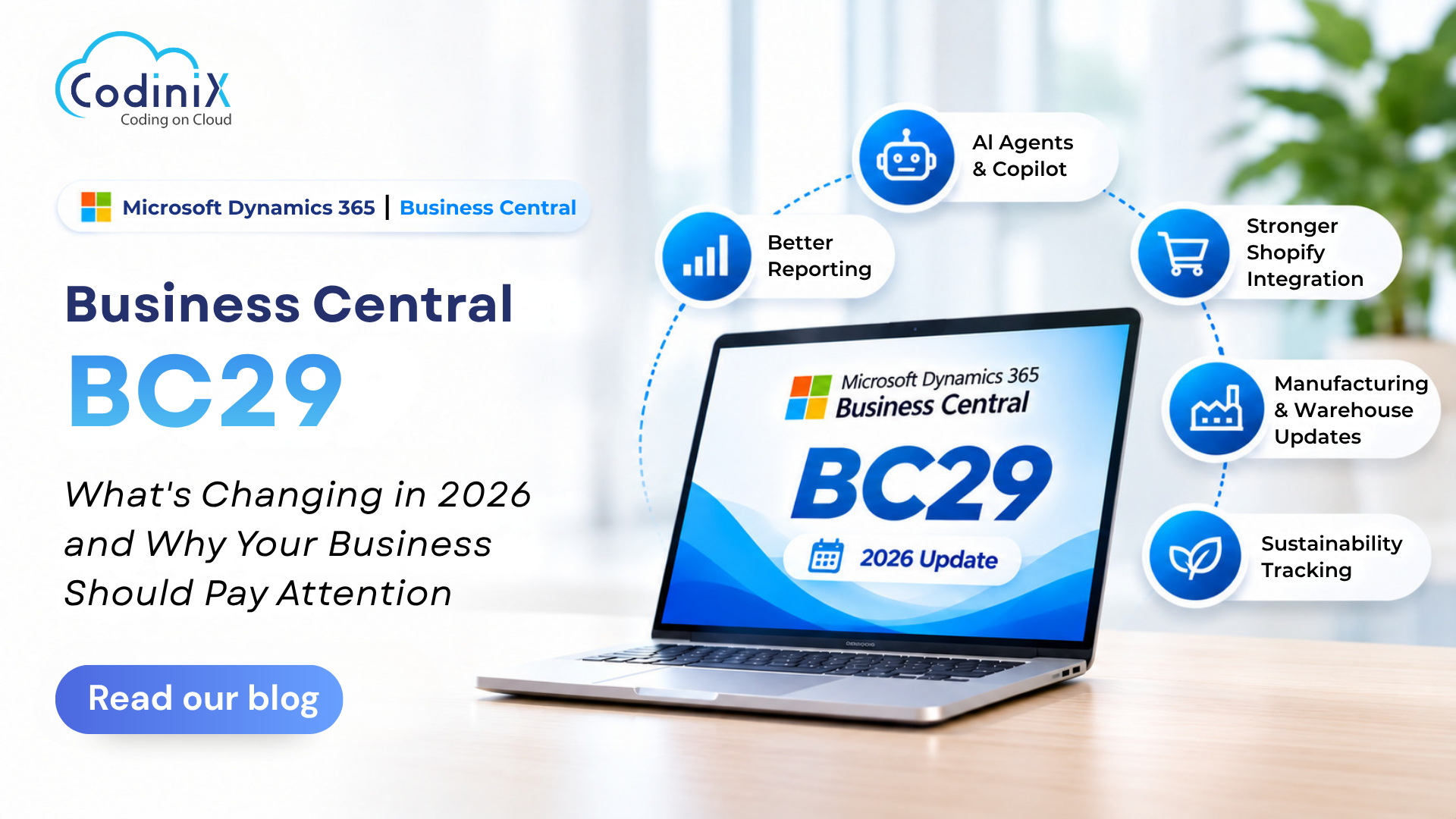
Microsoft has introduced Business Central 2026 Release Wave 2, also known as BC29. Released in October 2026, this update brings several changes to finance, sales, inventory, manufacturing and reporting.
But what's actually different this time? More importantly, which features could make a real difference to your business?
Let's explore the updates worth paying attention to.
1. AI Agents Are Taking on More Everyday Tasks
Invoice processing is one of those responsibilities that can consume hours of an accounts team's day. Checking purchase orders, matching amounts and correcting errors can become repetitive, especially when a business handles hundreds of invoices.
BC29 brings improvements to Microsoft's Payables Agent, which can read vendor invoices received through email and create draft purchase invoices in Business Central.
What's new with the Payables Agent?
- Matches invoice lines with purchase orders using line amounts and expected receipt dates.
- Reduces reliance on matching only vendor names and numbers.
- Helps accounts teams identify mismatches that need attention.
- Creates draft purchase invoices for employees to review.
Microsoft has also introduced a task pane where users can monitor what their AI agents are doing. Managing agent permissions is easier, giving businesses more control over what these tools can access.
The benefit? Your employees can spend less time on repetitive invoice checks and more time reviewing important financial activities.
2. Business Central Is Bringing More AI Capabilities
AI is becoming a bigger part of business software, and Microsoft is continuing to build on that with BC29.
The new Copilot chat, currently in preview, allows users to ask questions about their Business Central data, the web and general topics from one place.
For example, a manager looking for business information can use conversational questions rather than navigating through multiple screens.
Another interesting addition allows approved external AI tools to run read-only queries against Business Central data, even without an existing ready-made connection.
This creates opportunities for businesses to:
- Build custom AI assistants.
- Explore business information through conversational queries.
- Generate reports using their own business data.
- Connect approved AI tools with Business Central information.
These features are still developing, so businesses should test them in a sandbox before introducing them into daily operations.
3. Expense Management Gets Smarter
Managing employee expenses isn't always straightforward. Duplicate claims, incorrect mileage calculations and expenses that don't follow company policies can create extra work for finance managers.
BC29 introduces additional capabilities to the Expense Agent, including:
- Policy checks: Identifies expense entries that don't follow company rules.
- Duplicate detection: Finds repeated claims, including expenses that have already been posted.
- Mileage calculations: Applies rates based on vehicle type and date range.
- Tax calculations: Works out VAT and withholding tax from expense reports.
These additions can help finance teams identify potential issues before expenses reach the approval stage.
The Expense Agent features mentioned here are currently in preview, so businesses should evaluate them before making them part of their regular approval process.
4. Give Your Business Documents a More Professional Look
Think about the documents your business sends every day. Invoices, order confirmations and financial reports are often among the most frequently shared documents with customers and business partners.
Yet many businesses still rely on standard layouts that don't reflect their brand identity.
BC29 gives users more control over document design through improvements to financial reporting.
Here's what businesses can now do:
- Design invoices and order confirmations directly in Microsoft Word using the updated add-in.
- Apply company colours and fonts through report themes.
- Reuse headers and footers across multiple documents.
- Combine several financial reports into one PDF.
- Identify which financial reports use a particular G/L account.
- Track changes made to financial reports for audit purposes.
Users can also bookmark frequently used list views and analysis tabs.
These updates are particularly useful for finance teams that regularly prepare customer documents, internal reports and financial records.
5. Shopify Users Get More Control Over Online Orders
Running an online store involves more than receiving orders. Businesses also need to manage pricing, returns, refunds, inventory and customer information.
For companies using Shopify integration with Business Central, BC29 introduces several useful improvements.
Some of the important additions include:
- Managing B2B companies, catalogues and pricing through Business Central.
- Handling order edits, exchanges and refunds.
- Deciding when sales documents should be created for Shopify orders and returns.
- Synchronising tariff numbers and country-of-origin information.
For businesses selling across different markets, these updates are particularly worth exploring because they provide more options for managing online sales activities.
6. Manufacturing and Warehouse Operations Get Practical Improvements
Manufacturing businesses often manage several activities at once, from production schedules and inventory to subcontractors and quality inspections.
Even small delays in one area can affect the rest of the operation.
BC29 introduces changes that help manufacturing and warehouse teams manage some of these activities more effectively.
What's changing?
- Subcontracting is easier to configure.
- Instructions can carry over into purchase orders.
- Subcontracting can use inventory put-aways and picks.
- Direct transfer orders can be posted from warehouse locations.
- Quality tests and inspections require less manual work.
Businesses working with external production partners or managing multiple warehouse activities should review these updates to see where they fit into existing processes.
7. Sustainability Tracking Covers More Business Activities
Sustainability reporting is becoming an important consideration for organisations that want better visibility into their environmental impact.
Microsoft Dynamics 365 Business Central already includes sustainability capabilities, and BC29 extends carbon-emission tracking to additional areas.
Businesses can now track emissions associated with:
- Fixed assets.
- Item journals.
- Service work.
- Purchase documents.
This gives companies more opportunities to record environmental information alongside their regular business activities.
8. Don't Update to BC29 Without Checking Your Integrations
While new features are exciting, there's one technical change businesses shouldn't overlook.
BC29 stops older SOAP connections to Microsoft's standard Business Central pages from working. These connections are often used by external systems and add-ons.
Depending on your setup, this could affect:
- Bank portals.
- EDI tools.
- Warehouse scanners.
- Custom reporting applications.
- Other software that exchanges data with Business Central.
Microsoft recommends moving affected connections to supported APIs.
Switching to OData on the same standard pages isn't a long-term solution either, as Microsoft plans to remove that option in the next major version, expected in April 2027.
Before updating, make sure you:
- Identify all external applications connected to Business Central.
- Check whether any existing connections use SOAP.
- Confirm that your integrations are compatible with BC29.
- Test data exchange before updating your live environment.
Finding an integration issue during testing is much better than discovering it when your business operations are already affected.
9. How Should You Prepare for the BC29 Update?
You don't have to activate every new feature immediately. The better approach is to understand your business requirements and prepare your environment before moving to the latest version.
Here's a practical five-step checklist:
Step 1: Create a Sandbox
Create a test environment and apply the update there first. This gives your team an opportunity to explore new features without affecting live business data.
Step 2: Review Existing Integrations
Check your third-party applications, APIs, EDI connections and custom integrations.
Step 3: Test Important Documents
Generate sample invoices, order confirmations and payment reminders to confirm that everything works as expected.
Step 4: Check Your Extensions
Make sure your AppSource applications and custom extensions are compatible with BC29.
Step 5: Schedule Your Update
Existing Business Central online customers can choose their update date, but it must be before February 2027. Plan the update during a quieter business period to give your team time to address any issues.
Businesses running Business Central on their own servers should also check their version requirements. Those on version 24 or earlier need to move to version 25 first.
Conclusion: Make the Most of Microsoft Business Central BC29
The latest Microsoft Business Central BC29 update brings more than just a collection of new features. It introduces practical changes that can help businesses manage invoices, review expenses, access financial reports, handle online orders and manage manufacturing activities.
However, not every feature will be equally useful for every organisation.
Before making the move, take a closer look at your existing Business Central environment, identify the processes that need attention and decide which new capabilities are worth introducing. Testing integrations and checking application compatibility should also be part of your update plan.
At Codinix Technologies, we help businesses get more from Microsoft Dynamics 365 Business Central through implementation, customisation, integration and ongoing support.
Whether you're preparing for the BC29 update, reviewing existing integrations or planning a move to Business Central, our team can help you understand your options and prepare your system for the latest updates.
Feature information is based on Microsoft's official release notes for Business Central update 29.0, reviewed in October 2026. Features currently in preview may change.








































Leave Your Thoughts!!